Exhibitor Promotional Tools

Turn every participant into an event promoter.

Give exhibitors, speakers and sponsors custom banners for sharing on social media. XpoBay automatically combines your approved event designs with each participant's logo, stand number, speaker details or sponsor information, creating branded banners that are ready to share.

Multiple approved layouts Automatically personalised Configurable share text
FUTURESCAPE
14–16 September · ICC Sydney

We will be
there.

Meet us at the exhibition and discover
what is next.

Register free at futurescape.com/register
See us on stand C45
Northstar Group Automatically inserted company logo
𝕏 Share on X ◎ Share on Instagram in Share on LinkedIn
One approved system

One campaign can create hundreds of personal assets.

Organisers control the templates, information and sharing messages. XpoBay applies the correct participant details automatically, giving every exhibitor, speaker and sponsor something that feels made specifically for them.

E

Exhibitor promotion

Generate assets using the exhibitor's company name, logo, stand number, location and approved campaign link.

Company nameLogoStand numberLocation
S

Speaker promotion

Combine the speaker's headshot, name, role, session title and schedule inside designs created for the event.

Speaker nameHeadshotSession titleSchedule
P

Sponsor promotion

Recognise sponsor involvement with assets personalised by sponsor name, logo, level and relevant campaign details.

Sponsor nameLogoLevelCampaign link
AI-positioned speaker headshots

Use the headshot you already collect. XpoBay makes it banner-ready.

XpoBay uses AI face detection to identify the speaker's face, centre it precisely and crop away the body before placing it inside the approved banner template.
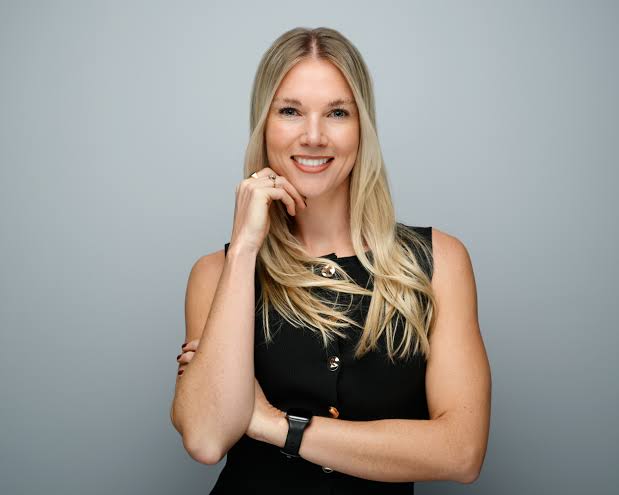
  • Start with the speaker image already collected in XpoBay
  • AI detects the face and centres it within the configured image frame
  • Support circular, square and rectangular image areas
  • Keep every speaker banner consistent without manual cropping

1. Headshot supplied

Original waist-up speaker headshot
AI face detected

2. Positioned in the template

Speaker face centred in a circular banner image frame
Emma Johnson
DIRECTOR

The Future of Sustainable Construction

FUTURESCAPE · MAIN STAGE · 15 SEPTEMBER
AI-centred face crop inside the approved circular frame
Multiple layouts from one profile

Give every campaign the format it needs.

The same approved event design and participant information can be used across several banner sizes. Participants choose the asset that fits the channel rather than asking the organiser to create another file.

Email signature banner600 × 200 px
FUTURESCAPE14–16 September · ICC Sydney
We will be there.Meet Northstar Group at the exhibition.
Meet us on Stand C45
FacebookXInstagramLinkedIn
MPU / display banner300 × 250 px
FUTURESCAPE14–16 September · ICC SydneyWe will be there.
Meet us on Stand C45 Discover what is next at Futurescape. Register free · futurescape.com
FacebookXInstagramLinkedIn
Leaderboard banner728 × 90 px
FUTURESCAPE
See us on
Stand C45
14–16 September · ICC Sydney
FacebookXInstagramLinkedIn
Configurable sharing text

The artwork is personalised. So is the message.

Organisers define the sharing text associated with each campaign. XpoBay inserts the relevant company, stand, speaker, session, sponsor and event information so participants do not need to write the post themselves.

  • Different messages for LinkedIn, Facebook, Instagram and X
  • Dynamic participant and event information
  • Approved links and campaign hashtags
  • A consistent event voice across every participant post
inNorthstar GroupLinkedIn company post

We are exhibiting at Futurescape. Visit us on Stand C45 at ICC Sydney from 14–16 September.
Register free · #Futurescape #Exhibiting

14–16 September · ICC SydneyFUTURESCAPE
We will
be there.
Meet the team shaping what comes next.
Meet us on Stand C45
From template to participant Workspace

Build it once. Let every participant promote the event.

The organiser retains control of the campaign. Participants receive completed, personalised assets inside the same Workspace they already use for their event information and tasks.

1

Create approved templates

Define the layouts, image areas, text and event branding for the campaign.

2

Map the information

Choose the participant and event fields that should appear in each design.

3

Publish to Workspaces

XpoBay generates the relevant assets for exhibitors, speakers and sponsors.

4

Download or share

Participants choose a layout and use the supplied sharing actions immediately.

Replace one-at-a-time artwork production

Stop rebuilding the same campaign for every participant.

Marketing teams often spend days copying logos, names, stand numbers and speaker details into individual design files. XpoBay turns the approved template and the information already collected into a repeatable system.

The manual approach

  1. Find the latest participant details
  2. Download the correct logo or headshot
  3. Open the design file
  4. Resize and reposition the content
  5. Export and email the asset
  6. Repeat for every participant
VS

With XpoBay

  1. Approve the campaign templates
  2. Use information already held in XpoBay
  3. Generate every personalised asset
  4. Publish directly to participant Workspaces
  5. Let participants download or share
Questions

Promotional Tools FAQ

Clear answers about templates, personalisation, speaker images and participant sharing.

Can exhibitors, speakers and sponsors receive different promotional designs?+
Yes. Organisers can provide different approved templates, layouts and sharing messages for exhibitors, speakers, sponsors and other configured participant groups.
How are speaker headshots positioned in banners?+
XpoBay can detect the face in the uploaded headshot and position it within the image area defined by the approved template, including circular image frames.
What information can be personalised?+
Templates can use relevant participant and event information such as company name, logo, stand number, speaker name, headshot, session title, sponsor level, event dates and approved links.
Can the sharing text be customised?+
Yes. Organisers can define the sharing message associated with each campaign and include personalised participant and event information.
Can one participant access several banner layouts?+
Yes. An event can provide multiple approved formats and campaign messages, allowing participants to choose the most appropriate asset for the channel or moment.
Do participants need design software?+
No. Finished assets are generated from approved templates and information already held in XpoBay, ready to download or share from the participant Workspace.
Built-in participant promotion

Give every exhibitor, speaker and sponsor a reason to share.

Turn approved event designs and participant information into a complete promotional campaign without creating every asset by hand.